
 SPRITES + CODE
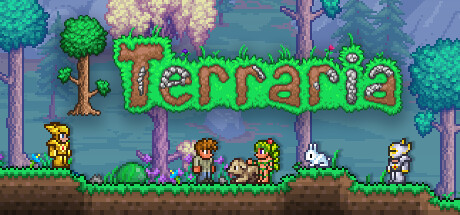
01 / Terraria
Build a different kind of arsenal.
Explore Fal Arsenal: weapons, enemies and a boss in an upstream tModLoader example.
Explore the exampleCover artwork © Re-Logic · Steam
Your next game idea starts here. Set up the AI modding toolkit, explore what people have built, and turn one small change into your first mod.
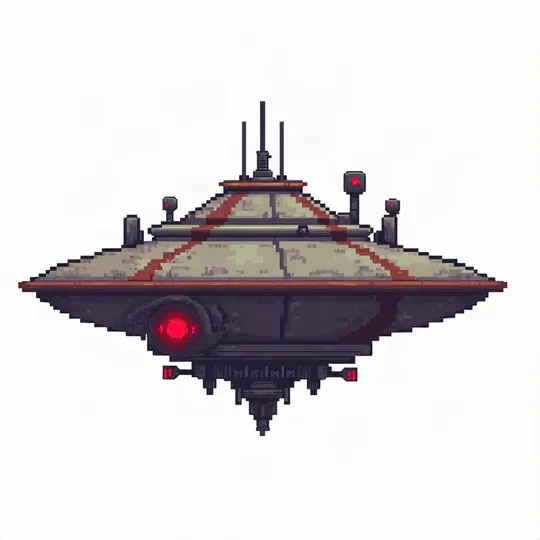
Upstream concept art · Rehan & contributors · Not gameplay
Get inspired. Then check the route,
versions and limits behind each example.
SPRITES + CODEExplore Fal Arsenal: weapons, enemies and a boss in an upstream tModLoader example.
Explore the example DATA + 3D ASSETS
Robotaxis, delivery drones and a new look for an existing civilization slot.
Explore the example TWO-GAME EXPERIMENT
A documented Minecraft and GTA V Legacy story-mode integration. Check the exact versions first.
Explore the exampleGame cover art identifies each game; it does not depict the mod. Examples come from the upstream project and have not been independently reproduced by this guide.
From a fresh install to a playable change.
Pick up wherever you are.
Choose your agent. Install once. Check the CLI.
LEVEL 02Inspect, back up, change one thing, and test in game.
LEVEL 03Separate the free toolkit from the rest of your setup.
LEVEL 04Read the evidence behind a game example before trying it.
LEVEL 05Diagnose the failing layer and keep your recovery simple.
Universal Modder is an open-source collection of skills, command-line tools and game-specific field notes for AI coding agents. It gives an agent a process for investigating an installed PC game, choosing a modding route, building a change, and checking the result in the running game.
You run it with a coding agent on your computer. The project includes integrations for Claude Code, Codex, Gemini CLI, Cursor, VS Code / GitHub Copilot, and OpenCode. Its Python command-line tool is called um. The official repository is the source for installation instructions and project updates.
The toolkit can help with code changes, sprites, other assets, game inspection and packaging. What works depends on the particular game, its version, the available loader and your local setup. A demonstration of one game does not establish compatibility with another release of that game.
New to the project? Read the installation guide. It separates the agent integration from the um command so you can verify both before touching a game.
Already installed? Follow the first-mod workflow. It starts with a small, reversible change and a test you can describe before you generate any code.
Trying to work out the budget? The requirements and costs guide explains which pieces come from the project and which depend on your agent, asset service or hardware.
Looking for a specific game? Use the game examples index. It links to the actual upstream examples and distinguishes recorded tests from broader engine guidance.
Stuck partway through? Open troubleshooting and identify the failing layer before reinstalling everything.
Choose a game you own and can run locally. Give the agent its exact path and version, ask it to inspect the setup, then read its proposed plan. Keep the first change narrow enough that you can tell whether it worked: one item label, one configurable value, or one original asset in an established modding route.
Before making changes, locate and back up the relevant saves. Keep the original files and the working mod separate. Ask the agent to explain what it will edit and how you will undo the change. Once the mod builds, launch a disposable test save and check the feature yourself.
The upstream workflow also includes recording, packaging and writing a field note. Those steps become useful after the mod works. You do not need to turn your first experiment into a public release.
The project is released under the MIT license. That does not include paid access to an AI coding agent, game purchases or an asset-generation service. Check those separately before you start.
No. This is an independent guide. The project is maintained at rehan-remade/universal-modder on GitHub. We link to upstream instructions and examples rather than hosting installers or asking for your keys.
The name describes the project's broad ambition. A usable route still depends on your game and environment. Read a relevant field note, compare versions, and establish a small working test before investing in a larger mod.
An agent can write code, but you still need to install tools, read a plan, recognize errors and test the result. If you are new to this, use a game with an established mod loader and keep the first task small. The first-mod guide includes a prompt you can adapt.
The project's safety rules prohibit anti-cheat bypasses and cheating against other players. Follow the game's rules and the documented modding route. For a first experiment, an offline test environment is easier to control.